
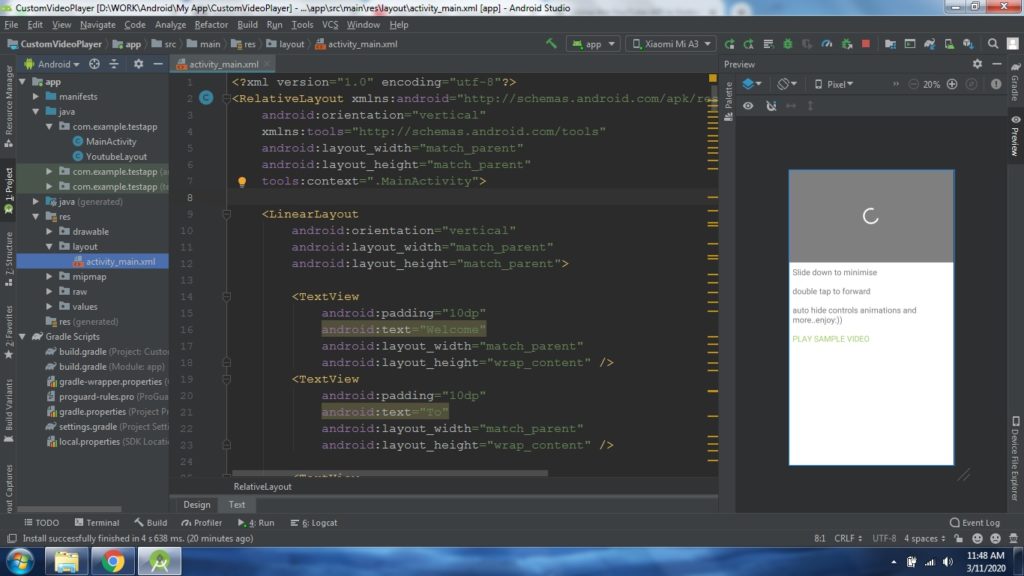
Hi everyone. Today i will show you how to create a video player similar to YouTube video player having all the similar features using Android Studio.
custom video player in android example
You will need to have basic knowledge of android to understand this tutorial.
Step 1: Create a New project in android studio and name it as a CustomVideoPlayer.
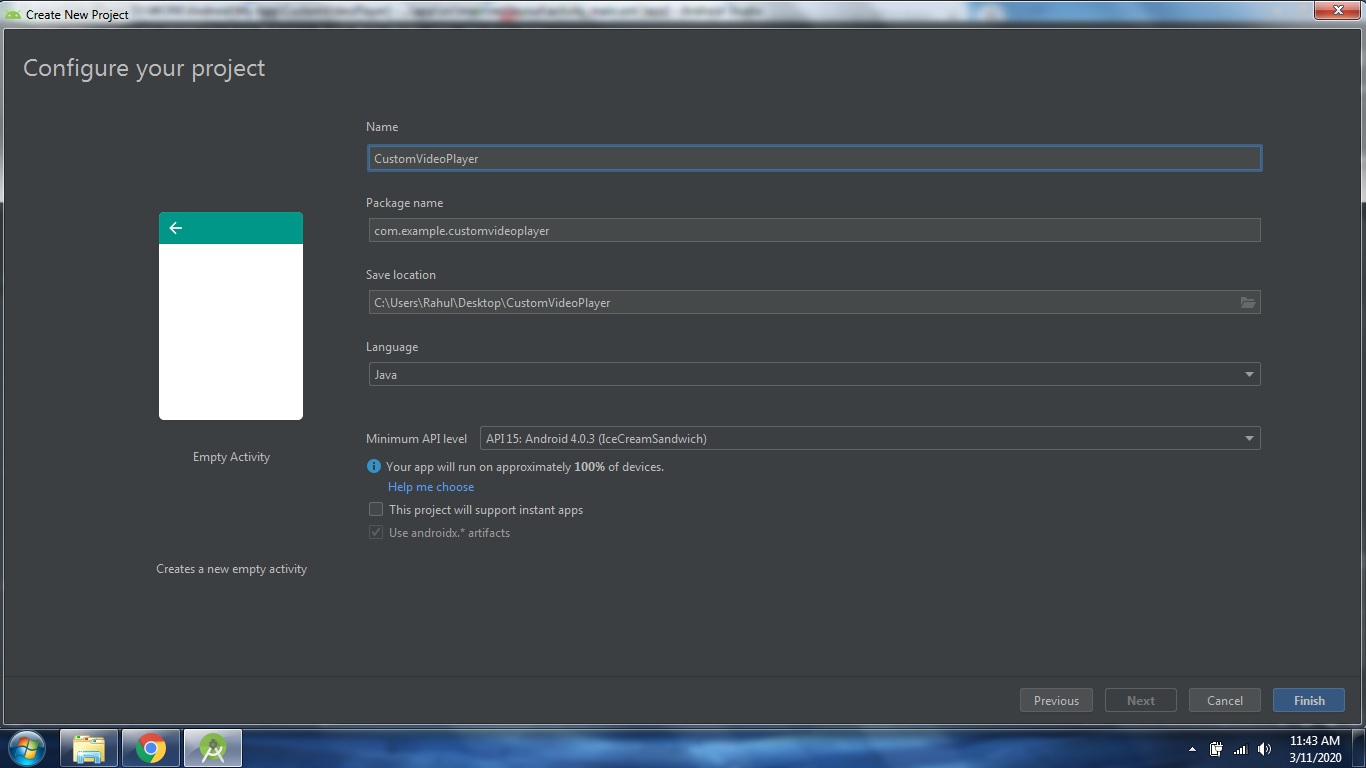
how to play video in android from url
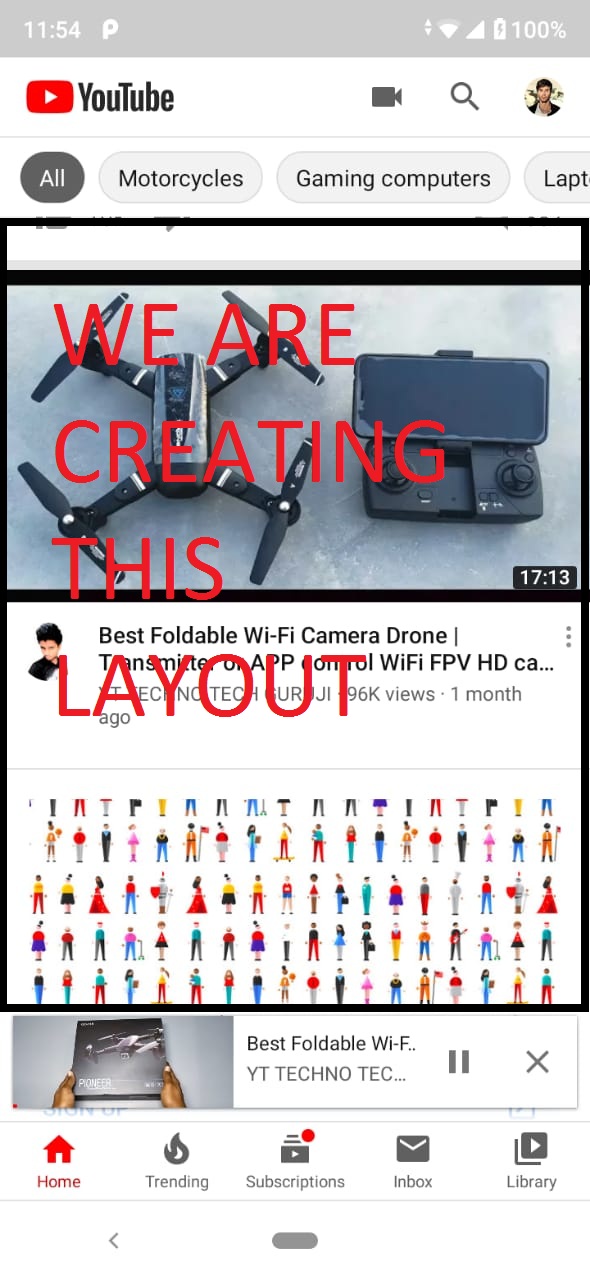
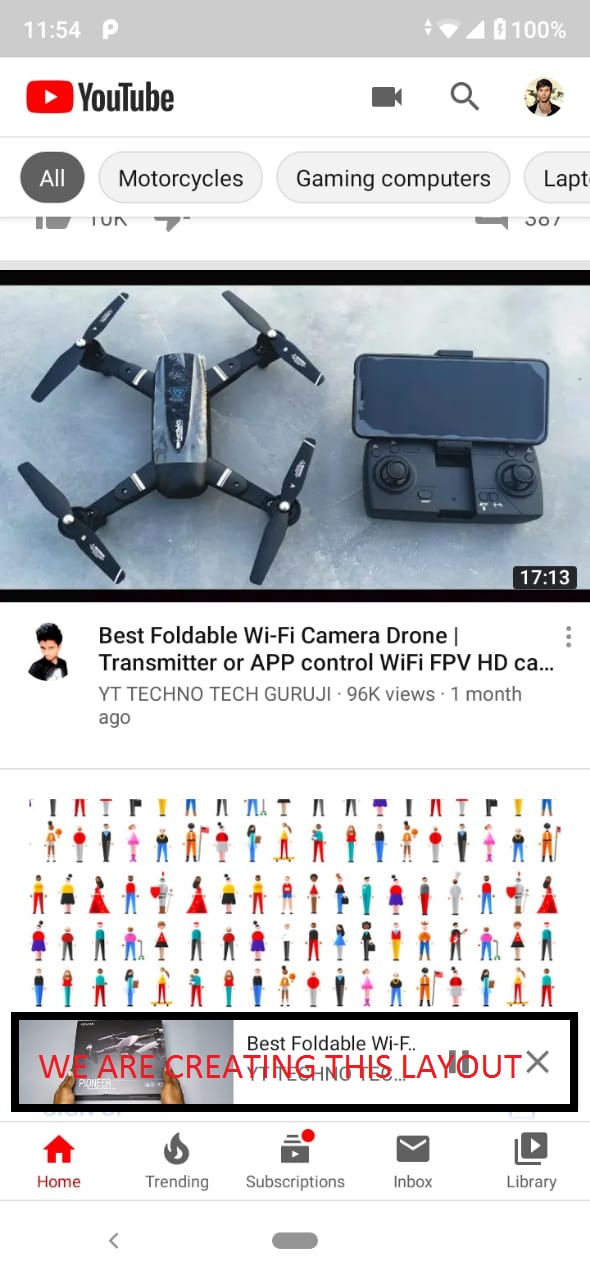
Step 2: Create a Layout similar to YouTube
Now get inside your Main Activity XML (activity_main)
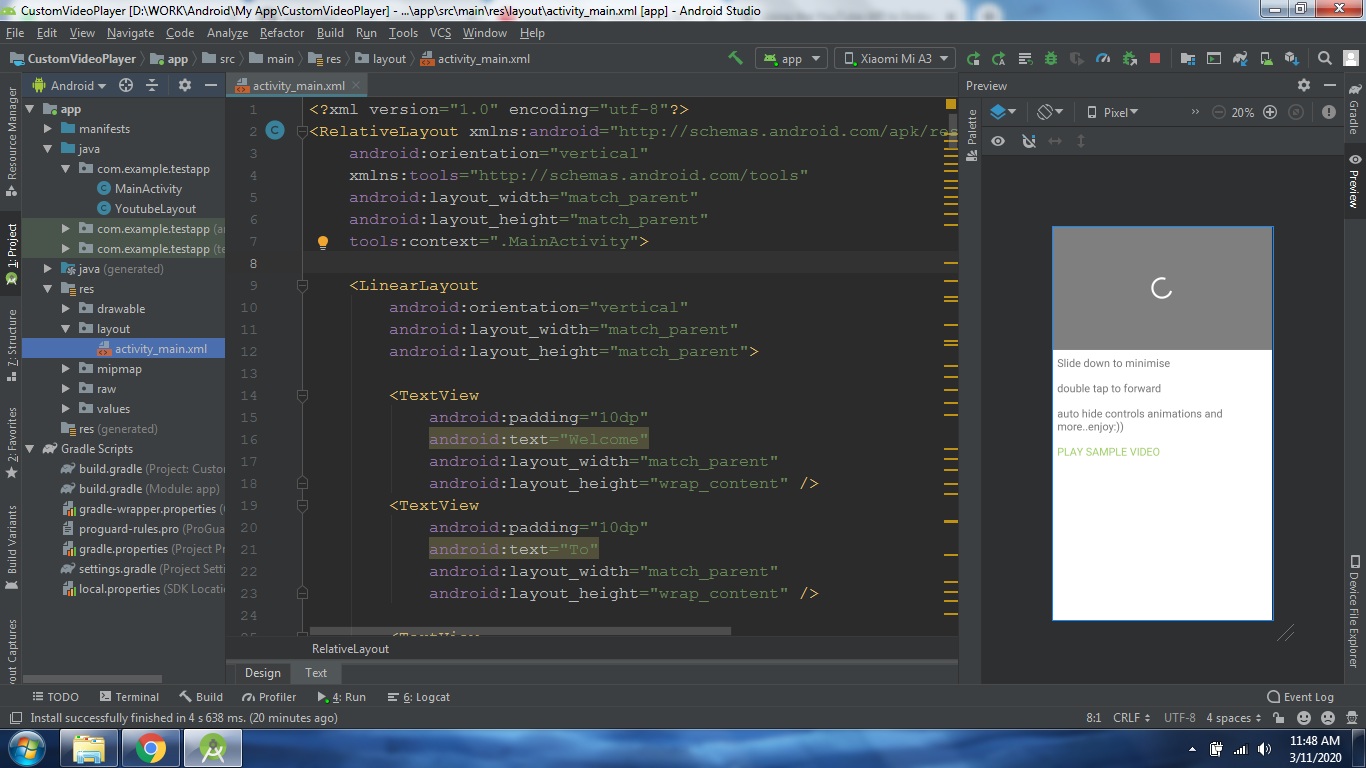
Change your Root layout to Relative Layout.
Now create Linear Layout inside the Relative Layout and create few Text views
how to play video in android programmatically
We are creating the main layout like the youtube you can call your videos API here in Recycler View or List View.
The Layout code is here
<?xml version="1.0" encoding="utf-8"?>
<RelativeLayout xmlns:android="http://schemas.android.com/apk/res/android"
    android:orientation="vertical"
    xmlns:tools="http://schemas.android.com/tools"
    android:layout_width="match_parent"
    android:layout_height="match_parent"
    tools:context=".MainActivity">

    <LinearLayout
        android:orientation="vertical"
        android:layout_width="match_parent"
        android:layout_height="match_parent">

        <TextView
            android:padding="10dp"
            android:text="Welcome"
            android:layout_width="match_parent"
            android:layout_height="wrap_content" />
        <TextView
            android:padding="10dp"
            android:text="To"
            android:layout_width="match_parent"
            android:layout_height="wrap_content" />

        <TextView
            android:padding="10dp"
            android:text="My"
            android:layout_width="match_parent"
            android:layout_height="wrap_content" />
        <TextView
            android:padding="10dp"
            android:text="Custom"
            android:layout_width="match_parent"
            android:layout_height="wrap_content" />

        <TextView
            android:padding="10dp"
            android:text="Video"
            android:layout_width="match_parent"
            android:layout_height="wrap_content" />
        <TextView
            android:padding="10dp"
            android:text="Player"
            android:layout_width="match_parent"
            android:layout_height="wrap_content" />


        <TextView
            android:padding="10dp"
            android:text="Thank"
            android:layout_width="match_parent"
            android:layout_height="wrap_content" />
        <TextView
            android:padding="10dp"
            android:text="You"
            android:layout_width="match_parent"
            android:layout_height="wrap_content" />


        <TextView
            android:padding="10dp"
            android:text="For"
            android:layout_width="match_parent"
            android:layout_height="wrap_content" />
        <TextView
            android:padding="10dp"
            android:text="Watching.."
            android:layout_width="match_parent"
            android:layout_height="wrap_content" />


        <TextView
            android:padding="10dp"
            android:text="You can use recycler/list view to show contents like YouTube here"
            android:layout_width="match_parent"
            android:layout_height="wrap_content" />

        <TextView
            android:onClick="samplevideo2"
            android:textColor="#29B6F6"
            android:padding="10dp"
            android:text="PLAY SAMPLE VIDEO"
            android:layout_width="match_parent"
            android:layout_height="wrap_content" />

    </LinearLayout>
</RelativeLayout >
The Output Screen is
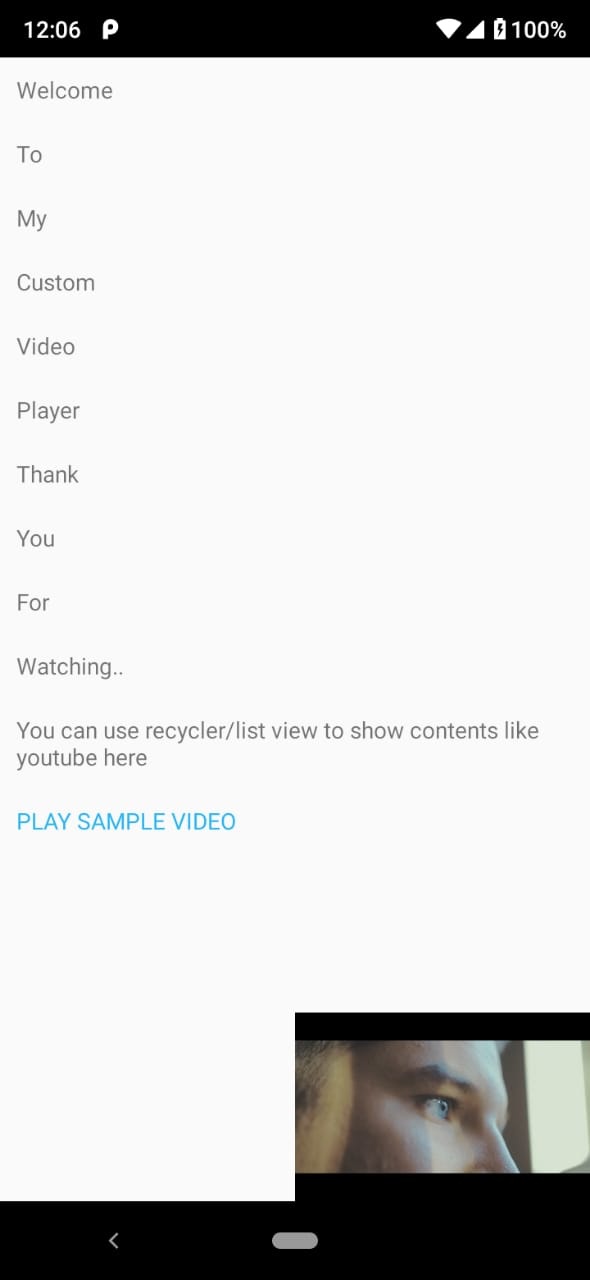
You can place your Recycler view to call the Video API Insted of Text View
Step 3: Create a Video Player
I am using Android VideoView here.
below the linear layout create a layout
com.example.testapp.YoutubeLayout (com.example.testapp is your package name replace accordingly)
The Code
<com.example.testapp.YoutubeLayout
    android:id="@+id/dragLayout"
    android:layout_width="match_parent"
    android:layout_height="match_parent">


<RelativeLayout
    android:id="@+id/video_layout"
    android:background="#000000"
    android:layout_width="match_parent"
    android:layout_height="230dp">

    <VideoView
        android:layout_centerInParent="true"
        android:id="@+id/myvideo"
        android:layout_width="match_parent"
        android:layout_height="wrap_content">
    </VideoView>


    <LinearLayout
        android:orientation="horizontal"
        android:layout_width="match_parent"
        android:layout_height="match_parent">


        <FrameLayout
            android:background="?selectableItemBackgroundBorderless"
            android:id="@+id/ffrdframe"
            android:layout_weight="1"
            android:layout_width="match_parent"
            android:layout_height="match_parent">

            <ImageView
                android:id="@+id/backward_img"
                android:visibility="gone"
                android:layout_width="match_parent"
                android:layout_height="40dp"
                android:layout_gravity="center"
                android:layout_marginTop="3dp"
                android:src="@drawable/ic_fast_rewind" />

            <TextView
                android:visibility="gone"
                android:id="@+id/rewindtxt"
                android:textSize="11sp"
                android:textColor="#ffffff"
                android:gravity="center"
                android:text="10 seconds"
                android:layout_marginTop="25sp"
                android:layout_gravity="center"
                android:layout_width="match_parent"
                android:layout_height="wrap_content" />


        </FrameLayout>


        <FrameLayout
            android:background="?selectableItemBackgroundBorderless"
            android:id="@+id/bbkframe"
            android:layout_weight="1"
            android:layout_width="match_parent"
            android:layout_height="match_parent">

            <ImageView
                android:id="@+id/frward_img"
                android:visibility="gone"
                android:layout_width="match_parent"
                android:layout_height="40dp"
                android:layout_gravity="center"
                android:layout_marginTop="3dp"
                android:src="@drawable/ic_fast_forward" />

            <TextView
                android:visibility="gone"
                android:id="@+id/frwrdtxt"
                android:textSize="11sp"
                android:textColor="#ffffff"
                android:gravity="center"
                android:text="10 seconds"
                android:layout_marginTop="25sp"
                android:layout_gravity="center"
                android:layout_width="match_parent"
                android:layout_height="wrap_content" />

        </FrameLayout>

        <RelativeLayout
            android:background="#6D000000"
            android:visibility="gone"
            android:id="@+id/mediacontrols"
            android:layout_width="match_parent"
            android:layout_height="match_parent">

            <FrameLayout
                android:onClick="dissmissControls"
                android:layout_width="match_parent"
                android:layout_height="match_parent">

            </FrameLayout>


                <ImageView
                    android:visibility="gone"
                    android:background="?selectableItemBackgroundBorderless"
                    android:onClick="showUp"
                    android:id="@+id/showup"
                    android:padding="10sp"
                    android:src="@drawable/ic_up"
                    android:layout_width="wrap_content"
                    android:layout_height="wrap_content" />

                <ImageView
                    android:background="?selectableItemBackgroundBorderless"
                    android:onClick="showDown"
                    android:id="@+id/showdown"
                    android:padding="10dp"
                    android:src="@drawable/ic_down"
                    android:layout_width="wrap_content"
                    android:layout_height="wrap_content" />

            <ImageView
                android:background="?selectableItemBackgroundBorderless"
                android:id="@+id/playbtn"
                android:visibility="gone"
                android:layout_width="wrap_content"
                android:layout_height="wrap_content"
                android:layout_centerInParent="true"
                android:src="@drawable/ic_play" />

            <ImageView
                android:background="?selectableItemBackgroundBorderless"
                android:id="@+id/pausebtn"
                android:visibility="gone"
                android:layout_width="wrap_content"
                android:layout_height="wrap_content"
                android:layout_centerInParent="true"
                android:src="@drawable/ic_pause" />

            <LinearLayout
                android:layout_marginBottom="5dp"
                android:layout_alignParentBottom="true"
                android:orientation="vertical"
                android:layout_width="match_parent"
                android:layout_height="wrap_content">

                <LinearLayout
                    android:layout_marginRight="12dp"
                    android:layout_marginLeft="12dp"
                    android:orientation="horizontal"
                    android:layout_width="match_parent"
                    android:layout_height="wrap_content">

                    <TextView
                        android:id="@+id/starttime"
                        android:text="0:00"
                        android:textSize="12sp"
                        android:textColor="#ffffff"
                        android:layout_width="wrap_content"
                        android:layout_height="wrap_content" />

                    <TextView
                        android:text=" / "
                        android:textSize="12sp"
                        android:textColor="#ffffff"
                        android:layout_width="wrap_content"
                        android:layout_height="wrap_content" />

                    <TextView
                        android:id="@+id/endtime"
                        android:text="0:00"
                        android:textSize="12sp"
                        android:textColor="#ffffff"
                        android:layout_width="wrap_content"
                        android:layout_height="wrap_content" />

                    <FrameLayout
                        android:layout_width="match_parent"
                        android:layout_height="wrap_content">

                        <ImageView

                            android:layout_gravity="end"
                            android:id="@+id/fullscreen"
                            android:layout_width="wrap_content"
                            android:layout_height="wrap_content"
                            android:src="@drawable/ic_fullscreen" />

                        <ImageView
                            android:visibility="gone"
                            android:layout_gravity="end"
                            android:id="@+id/fullscreenexit"
                            android:layout_width="wrap_content"
                            android:layout_height="wrap_content"
                            android:src="@drawable/ic_fullscreen_exit" />


                    </FrameLayout>

                </LinearLayout>

                <FrameLayout
                    android:layout_gravity="center"
                    android:layout_width="match_parent"
                    android:layout_height="20sp">

                    <ProgressBar
                        android:layout_marginRight="12dp"
                        android:layout_marginLeft="15dp"
                        android:layout_gravity="center_vertical"
                        android:theme="@style/ProgressBarStyle"
                        style="@style/Widget.AppCompat.ProgressBar.Horizontal"
                        android:id="@+id/bufferbar"
                        android:layout_width="match_parent"
                        android:layout_height="2dp" />

                    <SeekBar
                        android:layout_gravity="center_vertical"
                        android:id="@+id/seekbar"
                        android:layout_width="match_parent"
                        android:layout_height="match_parent" />


                </FrameLayout>

            </LinearLayout>

        </RelativeLayout>

    </LinearLayout>

    <ProgressBar
        android:indeterminateTint="#ffffff"
        android:id="@+id/progress"
        android:layout_centerInParent="true"
        android:layout_width="wrap_content"
        android:layout_height="wrap_content" />

</RelativeLayout>


<LinearLayout
    android:background="#FFFFFF"
    android:id="@+id/desc"
    android:orientation="vertical"
    android:layout_below="@id/video_layout"
    android:layout_width="match_parent"
    android:layout_height="match_parent">

    <TextView
        android:padding="10dp"
        android:textSize="20sp"
        android:text="Slide down to minimise"
        android:layout_width="match_parent"
        android:layout_height="wrap_content" />

    <TextView
        android:padding="10dp"
        android:textSize="20sp"
        android:text="double tap to forward"
        android:layout_width="match_parent"
        android:layout_height="wrap_content" />

    <TextView
        android:padding="10dp"
        android:textSize="20sp"
        android:text="auto hide controls animations and more..enjoy:))"
        android:layout_width="match_parent"
        android:layout_height="wrap_content" />

    <TextView
        android:onClick="samplevideo"
        android:textColor="#9CCC65"
        android:textSize="20sp"
        android:padding="10dp"
        android:text="PLAY SAMPLE VIDEO"
        android:layout_width="match_parent"
        android:layout_height="wrap_content" />

</LinearLayout>

</com.example.testapp.YoutubeLayout>
The Output will be like this

The Video layout will have
Forward image
Backward image
Play/Pause Images
Seekbar
Minimise Image
Create All the Required Images to your drawable Folder
IGNORE THE com.example.testapp.YoutubeLayout ERROR
The full Layout (main_activity.xml) code is here
<?xml version="1.0" encoding="utf-8"?>
<RelativeLayout xmlns:android="http://schemas.android.com/apk/res/android"
android:orientation="vertical"
xmlns:tools="http://schemas.android.com/tools"
android:layout_width="match_parent"
android:layout_height="match_parent"
tools:context=".MainActivity">
<LinearLayout
android:orientation="vertical"
android:layout_width="match_parent"
android:layout_height="match_parent">
<TextView
android:padding="10dp"
android:text="Welcome"
android:layout_width="match_parent"
android:layout_height="wrap_content" />
<TextView
android:padding="10dp"
android:text="To"
android:layout_width="match_parent"
android:layout_height="wrap_content" />
<TextView
android:padding="10dp"
android:text="My"
android:layout_width="match_parent"
android:layout_height="wrap_content" />
<TextView
android:padding="10dp"
android:text="Custom"
android:layout_width="match_parent"
android:layout_height="wrap_content" />
<TextView
android:padding="10dp"
android:text="Video"
android:layout_width="match_parent"
android:layout_height="wrap_content" />
<TextView
android:padding="10dp"
android:text="Player"
android:layout_width="match_parent"
android:layout_height="wrap_content" />
<TextView
android:padding="10dp"
android:text="Thank"
android:layout_width="match_parent"
android:layout_height="wrap_content" />
<TextView
android:padding="10dp"
android:text="You"
android:layout_width="match_parent"
android:layout_height="wrap_content" />
<TextView
android:padding="10dp"
android:text="For"
android:layout_width="match_parent"
android:layout_height="wrap_content" />
<TextView
android:padding="10dp"
android:text="Watching.."
android:layout_width="match_parent"
android:layout_height="wrap_content" />
<TextView
android:padding="10dp"
android:text="You can use recycler/list view to show contents like youtube here"
android:layout_width="match_parent"
android:layout_height="wrap_content" />
<TextView
android:onClick="samplevideo2"
android:textColor="#29B6F6"
android:padding="10dp"
android:text="PLAY SAMPLE VIDEO"
android:layout_width="match_parent"
android:layout_height="wrap_content" />
</LinearLayout>
<com.example.testapp.YoutubeLayout
android:id="@+id/dragLayout"
android:layout_width="match_parent"
android:layout_height="match_parent">
<RelativeLayout
android:id="@+id/video_layout"
android:background="#000000"
android:layout_width="match_parent"
android:layout_height="230dp">
<VideoView
android:layout_centerInParent="true"
android:id="@+id/myvideo"
android:layout_width="match_parent"
android:layout_height="wrap_content">
</VideoView>
<LinearLayout
android:orientation="horizontal"
android:layout_width="match_parent"
android:layout_height="match_parent">
<FrameLayout
android:background="?selectableItemBackgroundBorderless"
android:id="@+id/ffrdframe"
android:layout_weight="1"
android:layout_width="match_parent"
android:layout_height="match_parent">
<ImageView
android:id="@+id/backward_img"
android:visibility="gone"
android:layout_width="match_parent"
android:layout_height="40dp"
android:layout_gravity="center"
android:layout_marginTop="3dp"
android:src="@drawable/ic_fast_rewind" />
<TextView
android:visibility="gone"
android:id="@+id/rewindtxt"
android:textSize="11sp"
android:textColor="#ffffff"
android:gravity="center"
android:text="10 seconds"
android:layout_marginTop="25sp"
android:layout_gravity="center"
android:layout_width="match_parent"
android:layout_height="wrap_content" />
</FrameLayout>
<FrameLayout
android:background="?selectableItemBackgroundBorderless"
android:id="@+id/bbkframe"
android:layout_weight="1"
android:layout_width="match_parent"
android:layout_height="match_parent">
<ImageView
android:id="@+id/frward_img"
android:visibility="gone"
android:layout_width="match_parent"
android:layout_height="40dp"
android:layout_gravity="center"
android:layout_marginTop="3dp"
android:src="@drawable/ic_fast_forward" />
<TextView
android:visibility="gone"
android:id="@+id/frwrdtxt"
android:textSize="11sp"
android:textColor="#ffffff"
android:gravity="center"
android:text="10 seconds"
android:layout_marginTop="25sp"
android:layout_gravity="center"
android:layout_width="match_parent"
android:layout_height="wrap_content" />
</FrameLayout>
<RelativeLayout
android:background="#6D000000"
android:visibility="gone"
android:id="@+id/mediacontrols"
android:layout_width="match_parent"
android:layout_height="match_parent">
<FrameLayout
android:onClick="dissmissControls"
android:layout_width="match_parent"
android:layout_height="match_parent">
</FrameLayout>
<ImageView
android:visibility="gone"
android:background="?selectableItemBackgroundBorderless"
android:onClick="showUp"
android:id="@+id/showup"
android:padding="10sp"
android:src="@drawable/ic_up"
android:layout_width="wrap_content"
android:layout_height="wrap_content" />
<ImageView
android:background="?selectableItemBackgroundBorderless"
android:onClick="showDown"
android:id="@+id/showdown"
android:padding="10dp"
android:src="@drawable/ic_down"
android:layout_width="wrap_content"
android:layout_height="wrap_content" />
<ImageView
android:background="?selectableItemBackgroundBorderless"
android:id="@+id/playbtn"
android:visibility="gone"
android:layout_width="wrap_content"
android:layout_height="wrap_content"
android:layout_centerInParent="true"
android:src="@drawable/ic_play" />
<ImageView
android:background="?selectableItemBackgroundBorderless"
android:id="@+id/pausebtn"
android:visibility="gone"
android:layout_width="wrap_content"
android:layout_height="wrap_content"
android:layout_centerInParent="true"
android:src="@drawable/ic_pause" />
<LinearLayout
android:layout_marginBottom="5dp"
android:layout_alignParentBottom="true"
android:orientation="vertical"
android:layout_width="match_parent"
android:layout_height="wrap_content">
<LinearLayout
android:layout_marginRight="12dp"
android:layout_marginLeft="12dp"
android:orientation="horizontal"
android:layout_width="match_parent"
android:layout_height="wrap_content">
<TextView
android:id="@+id/starttime"
android:text="0:00"
android:textSize="12sp"
android:textColor="#ffffff"
android:layout_width="wrap_content"
android:layout_height="wrap_content" />
<TextView
android:text=" / "
android:textSize="12sp"
android:textColor="#ffffff"
android:layout_width="wrap_content"
android:layout_height="wrap_content" />
<TextView
android:id="@+id/endtime"
android:text="0:00"
android:textSize="12sp"
android:textColor="#ffffff"
android:layout_width="wrap_content"
android:layout_height="wrap_content" />
<FrameLayout
android:layout_width="match_parent"
android:layout_height="wrap_content">
<ImageView
android:layout_gravity="end"
android:id="@+id/fullscreen"
android:layout_width="wrap_content"
android:layout_height="wrap_content"
android:src="@drawable/ic_fullscreen" />
<ImageView
android:visibility="gone"
android:layout_gravity="end"
android:id="@+id/fullscreenexit"
android:layout_width="wrap_content"
android:layout_height="wrap_content"
android:src="@drawable/ic_fullscreen_exit" />
</FrameLayout>
</LinearLayout>
<FrameLayout
android:layout_gravity="center"
android:layout_width="match_parent"
android:layout_height="20sp">
<ProgressBar
android:layout_marginRight="12dp"
android:layout_marginLeft="15dp"
android:layout_gravity="center_vertical"
android:theme="@style/ProgressBarStyle"
style="@style/Widget.AppCompat.ProgressBar.Horizontal"
android:id="@+id/bufferbar"
android:layout_width="match_parent"
android:layout_height="2dp" />
<SeekBar
android:layout_gravity="center_vertical"
android:id="@+id/seekbar"
android:layout_width="match_parent"
android:layout_height="match_parent" />
</FrameLayout>
</LinearLayout>
</RelativeLayout>
</LinearLayout>
<ProgressBar
android:indeterminateTint="#ffffff"
android:id="@+id/progress"
android:layout_centerInParent="true"
android:layout_width="wrap_content"
android:layout_height="wrap_content" />
</RelativeLayout>
<LinearLayout
android:background="#FFFFFF"
android:id="@+id/desc"
android:orientation="vertical"
android:layout_below="@id/video_layout"
android:layout_width="match_parent"
android:layout_height="match_parent">
<TextView
android:padding="10dp"
android:textSize="20sp"
android:text="Slide down to minimise"
android:layout_width="match_parent"
android:layout_height="wrap_content" />
<TextView
android:padding="10dp"
android:textSize="20sp"
android:text="double tap to forward"
android:layout_width="match_parent"
android:layout_height="wrap_content" />
<TextView
android:padding="10dp"
android:textSize="20sp"
android:text="Use Recycler View To Load Videos From Server API like YouTube"
android:layout_width="match_parent"
android:layout_height="wrap_content" />
<TextView
android:onClick="samplevideo"
android:textColor="#9CCC65"
android:textSize="20sp"
android:padding="10dp"
android:text="PLAY SAMPLE VIDEO"
android:layout_width="match_parent"
android:layout_height="wrap_content" />
</LinearLayout>
</com.example.testapp.YoutubeLayout>
</RelativeLayout>
Now you Have your YouTube Layout Ready
best video player for android
custom video player in android example
how to play video in android from url
how to play video in android programmatically
We will Code the MainActivity.java in Next Blog



Hi
My Q. Is
Where kind of database we can use for creating videos application like youtube or snack videos in Android studio.
Where we can store the Data of videos in application in Android studio